Domain IP Address Checker Find Any Website’s DNS & Server Details Analyse Domain

Quickly find the IP address of any domain and explore related DNS and server information. Tools Elite Soft Tech makes domain research simple, helping website owners, SEO professionals and developers understand basic server infrastructure, identify IP addresses, check DNS details and investigate hosting information quickly and efficiently.

WHOIS Domain Lookup

Retrieve the official registration record for any domain, including registrar name, registration date, and expiry date.

Domain Age Checker

Instantly see how old a domain is - a key trust and SEO signal used when evaluating a website's history.

Domain IP Address Finder

Resolve the current IP address behind any domain to trace hosting location and server infrastructure.

DNS Records Checker

Look up A, MX, NS, TXT, and CNAME records to verify DNS configuration and troubleshoot propagation.

Hosting Provider Detector

Identify which company hosts a website - including Hostinger, GoDaddy, Namecheap, and many others.

Last Updated Date

See when a domain's WHOIS record was last modified, helpful for spotting recent ownership or DNS changes.

Domain & WHOIS Lookup: Check Domain Age, IP Address, DNS and Registration Details

Meta title: Free Domain & WHOIS Lookup Tool | Domain Age, IP, DNS & Hosting Checker
Meta description: Check WHOIS records, domain age, IP address, DNS servers, hosting provider and last updated date instantly with Tools Elite Soft Tech’s domain lookup tool.


Get Complete Domain Information in One Place

Every website has a hidden layer of information behind it: who registered the domain, when it was created, which servers it runs on and which company hosts it. The Domain & WHOIS Lookup tool from Tools Elite Soft Tech brings all of this together in a single, easy-to-use domain analysis tool.

Enter any domain name and get its registrar, domain age, IP address, DNS servers, hosting provider and last updated date within seconds. No technical background is needed. Whether you are a website owner, SEO professional, developer or domain investor, you get the data you need to make informed decisions.

Click here to try the Domain & WHOIS Lookup tool

Sample Domain Report

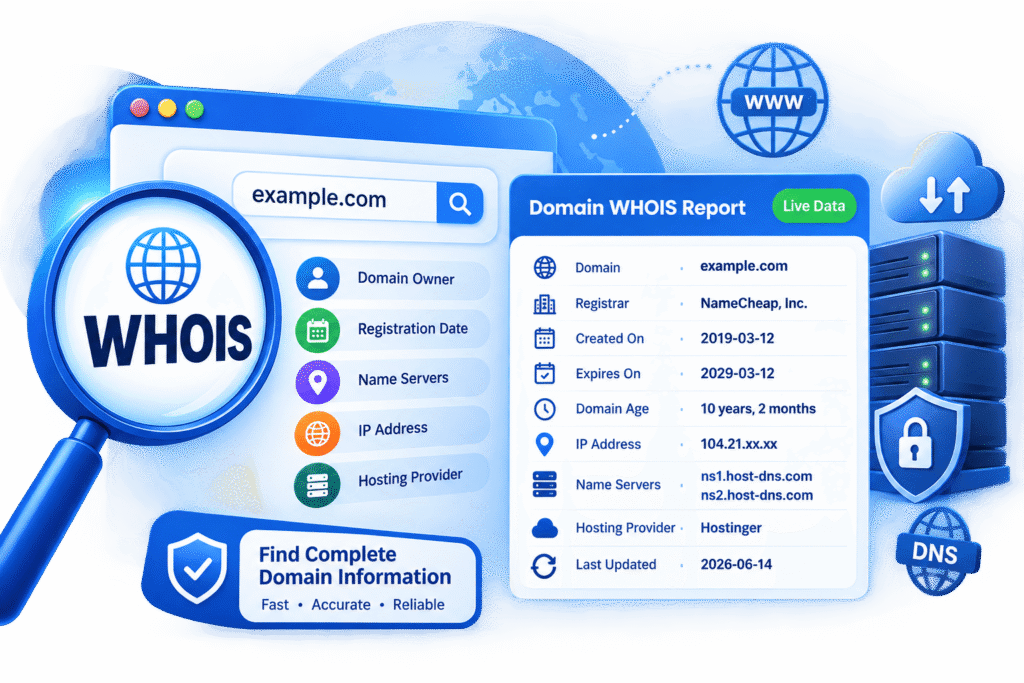
Here is the kind of information you can expect for a domain such as example.com:

  • Registrar: NameCheap, Inc.
  • Domain Age: 7 years, 3 months
  • IP Address: 104.21.xx.xx
  • DNS Servers: ns1.host-dns.com
  • Hosting Provider: Hostinger
  • Last Updated: 2026-06-14

What Is a WHOIS Lookup?

A WHOIS lookup retrieves the public registration record of a domain name. This record is maintained by domain registrars and registries, and it describes the technical and administrative details of a domain. A typical WHOIS record includes the registrar name, the creation date, the expiry date, the name servers and the date the record was last modified.

Because of privacy regulations such as GDPR, many registrars now hide personal contact details behind privacy protection services. Even so, the technical data in a WHOIS record remains valuable for research, troubleshooting and verification.

Why WHOIS Data Matters

WHOIS information helps you confirm that a domain is genuine, check when it expires and understand who manages it at the registrar level. For businesses and marketers, it is a quick way to validate a website before partnering with it, buying from it or building links with it.

Domain & WHOIS Lookup Tools Included

Our domain checker is a collection of lookup tools, each built for a specific purpose. Use them together for a full picture of any website’s infrastructure.

WHOIS Domain Lookup

The WHOIS Domain Lookup retrieves the official registration record for any domain, including the registrar name, registration date and expiry date. It is the foundation of any domain investigation, and it lets you verify ownership details at the registrar level.

Domain Age Checker

Domain age is a key trust and SEO signal when evaluating a website’s history. The Domain Age Checker shows exactly how old a domain is, from its original registration date to today. Older domains often have more established backlink profiles and a longer track record, which makes this tool useful when buying domains or assessing competitors.

Domain IP Address Finder

The Domain IP Address Finder resolves the current IP address behind any domain. With that address you can trace the hosting location, spot shared hosting setups and understand the server infrastructure behind a website. It is also helpful when configuring firewalls, whitelists or CDN settings.

DNS Records Checker

The DNS Records Checker looks up A, MX, NS, TXT and CNAME records to verify DNS configuration and troubleshoot propagation. If your email is not arriving, your website is not resolving after a migration, or your domain verification keeps failing, checking DNS records is the first step.

Hosting Provider Detector

The Hosting Provider Detector identifies which company hosts a website, including Hostinger, GoDaddy, Namecheap and many others. This helps you research competitors’ technology choices, compare hosting options and find the right provider to contact when there is a technical issue.

Last Updated Date Checker

The Last Updated Date shows when a domain’s WHOIS record was last modified. This is helpful for spotting recent ownership or DNS changes, which can signal a site migration, a change of registrar or a transfer to a new owner.

How to Use the Domain & WHOIS Lookup Tool

Getting results takes only a few steps.

Step 1: Enter the Domain Name

Type the domain you want to analyse into the search box, for example example.com. You do not need to include “https://” or “www”.

Step 2: Run the Lookup

Click the search button. The tool queries WHOIS and DNS data and compiles the results into one clear report.

Step 3: Review the Results

Read through the registrar, domain age, IP address, DNS servers, hosting provider and last updated details. Use each section to answer your specific question, whether it is about trust, hosting, SEO or technical setup.

Who Benefits from Domain Lookup Tools?

SEO Professionals and Digital Marketers

Domain age, hosting location and DNS setup all feed into SEO research. Checking these details helps you assess the authority of link-building targets, evaluate expired domains and understand how competitors structure their sites. A WHOIS lookup also helps you avoid low-quality or suspicious domains before you invest time in them.

Website Owners and Business Owners

If you manage your own website, a domain lookup lets you confirm your registrar, expiry date and DNS servers at a glance. Keeping an eye on your expiry date prevents the costly mistake of losing a domain because a renewal was missed.

Developers and System Administrators

Developers use domain lookup tools to troubleshoot DNS propagation, confirm name server changes after migrations and verify that a domain points to the correct IP address. The DNS Records Checker saves time compared with running manual command-line queries.

Domain Investors and Buyers

Before purchasing a domain, you want to know its history. Domain age, registration date and recent WHOIS updates show how long it has existed and whether ownership has changed recently. This helps you avoid overpaying or buying a domain with a questionable past.

Security-Conscious Users

Phishing and scam websites often use newly registered domains. Checking a domain’s age and registrar before entering personal details or making a purchase is a simple way to add a layer of protection.

Understanding Key Domain Information

Domain Age and Why It Matters

Domain age is the length of time since a domain was first registered. Search engines do not rank sites on age alone, but older domains tend to have had more time to earn backlinks, build content and establish trust. A domain age of several years, like the 7 years and 3 months in our example, often points to a stable and established website.

IP Address and Hosting Location

An IP address is the numeric identifier of the server where a website lives. Knowing it helps you identify the hosting provider, the data centre region and whether a site uses a CDN or proxy service. Note that sites behind a CDN may show the CDN’s IP rather than the origin server’s.

DNS Servers and Name Servers

DNS servers, or name servers, direct visitors to the correct website. They tell the internet where to find your domain’s records. If your name servers are misconfigured, your website and email can stop working, so verifying them is essential after any change.

Hosting Provider

The hosting provider is the company that stores your website’s files and serves them to visitors. Identifying it helps with competitor research, support requests and migration planning.

Last Updated Date

A recent update to a WHOIS record can mean renewed registration, changed name servers or edited contact details. Reviewing this date helps you notice changes you did not expect, which can be an early warning of unauthorised activity.

Why Choose Tools Elite Soft Tech for Domain Lookup?

Fast, Accurate and Easy to Use

Our tool combines several lookups into one clean report, so you do not have to jump between different websites to gather data. Results appear within seconds and are presented clearly for beginners and experts alike.

Everything You Need in One Tool

From WHOIS records and domain age to IP address, DNS records and hosting provider, the tool covers the essentials of domain and website infrastructure analysis. That makes it ideal for SEO research, competitor analysis, website audits and technical investigations.

Frequently Asked Questions

Is the Domain & WHOIS Lookup tool free to use?

You can run lookups easily through the tool at Tools Elite Soft Tech. Visit the domain checker page to get started.

Can I see who owns a domain?

It depends on the domain. Many registrars offer WHOIS privacy protection, which replaces personal details with proxy information. You will still see technical data such as the registrar, dates and name servers.

How accurate is the domain age?

Domain age is calculated from the creation date in the official WHOIS record. It reflects when the domain was first registered, not necessarily when the website launched.

How do I find a website’s hosting provider?

Enter the domain in the Hosting Provider Detector. The tool identifies the company behind the server, such as Hostinger, GoDaddy or Namecheap.

Why is the last updated date important?

It shows when the WHOIS record was last modified. A recent change may indicate a renewal, transfer, DNS update or change of ownership.

Start Your Domain Analysis Today

Understanding the infrastructure behind a domain gives you a real advantage, whether you are researching competitors, protecting your own site or evaluating a purchase. With WHOIS records, domain age, IP address, DNS servers, hosting provider and last updated details in one place, the Domain & WHOIS Lookup tool makes the process simple.

DOMAIN & WHOIS LOOKUP

Discover Complete Domain Information with Powerful Lookup Tools

Get valuable insights into any domain with our easy-to-use WHOIS, domain age and IP address lookup tools. Check registration details, discover when a domain was created, identify its current IP address and understand essential domain infrastructure. Whether you are conducting SEO research, analysing competitors, checking a website’s history or investigating technical details, these tools provide useful domain information quickly and conveniently.

Lorem ipsum dolor sit amet, consectetur adipiscing elit. Ut elit tellus, luctus nec ullamcorper mattis, pulvinar dapibus leo.

Programs

One-on-One Coaching

Group Coaching Programs

Executive Coaching

Startup Coaching

Leadership Development

Team Coaching

Resources

Blog

Case Studies

Ebooks & Guides

Webinars

FAQs

Press & Media

Quick Links

Get a Free Quote

Request a Demo

Pricing Plans

Testimonials

Support Center

Legal

Terms of Service

Privacy Policy

Cookie Policy

Disclaimer

Data Processing Agreement